
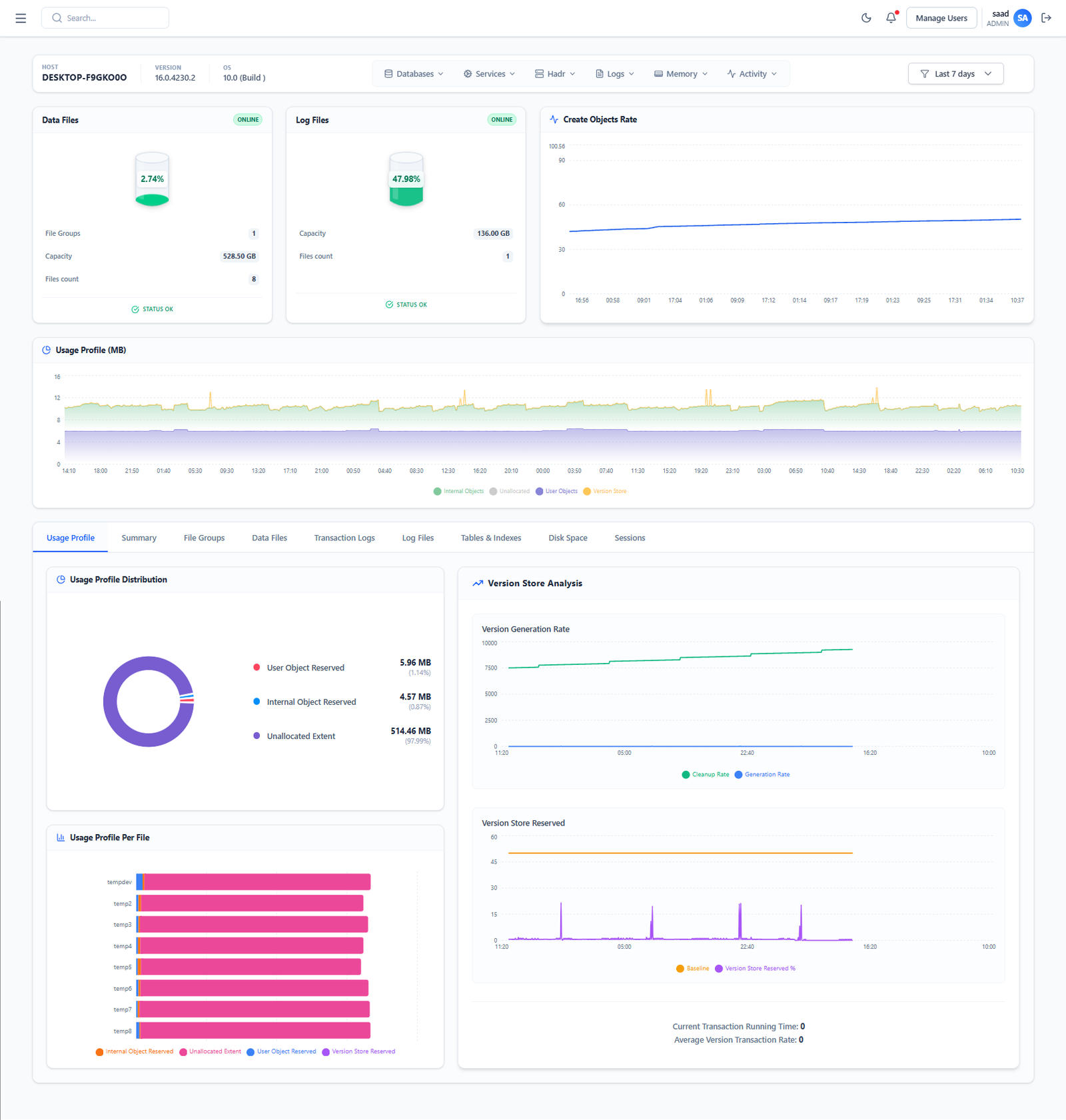
Bring your databases into one view to detect issues earlier, investigate performance, and simplify daily operations. Many organizations run Oracle and PostgreSQL side by side. Oracle may support core business applications, while PostgreSQL powers digital services, reporting platforms, or newer applications. For database teams, this creates a practical challenge: understanding the health of the entire environment without constantly switching between tools. A unified monitoring dashboard brings essential information together while preserving the details needed to investigate each database engine. » Why Centralize Database Monitoring? When monitoring is spread across separate tools, teams spend time collecting information before they can begin solving a problem. An application slowdown might involve a busy Oracle instance, blocked PostgreSQL queries, or pressure on shared infrastructure. A central dashboard helps teams review these signals within the same time window. The main benefits include: Shared visibility: See the status of monitored databases across environments. Faster investigation: Identify which instances need attention and open their detailed metrics. Consistent alerting: Organize notifications by severity, business impact, and ownership. Historical context: Compare current behavior with previous activity. The goal is to make everyday supervision simpler while keeping engine-specific diagnostics accessible. » 1. Collect Data from Both Database Engines A unified dashboard starts with reliable collection. Each database engine requires a compatible collector or integration that retrieves its monitoring data and forwards it to a central platform. Oracle exposes system metrics through views such as V$SYSMETRIC, which provides measurements over defined collection intervals. PostgreSQL provides activity and database statistics through views including pg_stat_activity and pg_stat_database. A typical monitoring flow is: Oracle and PostgreSQL → Collectors → Central metrics storage → Dashboard and alerts During setup, define: Which instances and databases to monitor. The permissions required by each collector. How frequently metrics should be collected. How long historical data should be retained. Who owns each monitored environment. Use dedicated monitoring accounts with permissions limited to the required data, and protect database credentials through the platform’s supported secrets management. 2. Build a Common Overview The first dashboard should answer a simple question: Where do we need to act? Start with a small set of indicators that are useful across both engines. Monitoring area What to display Why it matters Availability Connection checks and collection status Identify unreachable instances or missing data Activity Active sessions and connection usage Detect unusual workload or connection pressure Performance Query duration trends and blocking Investigate application slowdowns Infrastructure CPU, memory, disk capacity, and I/O Understand resource constraints Capacity Database growth and available storage Anticipate space shortages Alerts Open issues, severity, and duration Prioritize operational work Clearly distinguish database unavailable from monitoring data unavailable. A failed collector does not necessarily mean that the database itself is down. Add filters for database engine, application, environment, and owner so teams can move quickly from a global overview to the systems they manage. 3. Keep Engine-Specific Details Available Oracle and PostgreSQL share monitoring goals, but their internal behavior and metric definitions differ. For PostgreSQL, pg_stat_activity shows current backend activity, while pg_stat_database provides database-level cumulative statistics. These support different views of workload and should be interpreted accordingly. A useful dashboard therefore combines a common overview with dedicated detail pages. Oracle detail pages can focus on: Session activity and wait patterns. SQL performance. Tablespace capacity. Instance resource usage. PostgreSQL detail pages can focus on: Active queries and long-running transactions. Locks and blocked sessions. Transaction activity. Maintenance and replication indicators where applicable. Before combining metrics in the same chart, verify their units, collection intervals, and meaning. Similarly named metrics are not always directly comparable. 4. Configure Alerts Around Operational Impact A dashboard provides visibility, but alerts bring urgent issues to the team’s attention. Useful alert scenarios include: An instance repeatedly fails connection checks. Storage approaches a defined capacity limit. Blocking persists beyond an acceptable duration. Connection usage remains unusually high. Monitoring data stops arriving. Set thresholds according to the application and its normal workload. A reporting database may legitimately experience activity patterns that would be unusual for a transactional system. Each alert should explain what happened, where it happened, how long it has lasted, and who should investigate. Use sustained conditions and recovery notifications to reduce unnecessary noise. 5. Use History to Understand Changes A current metric shows what is happening now. Historical data helps explain whether that behavior is unusual. For example, when an application slows down, the team can compare: Activity before and after a deployment. Resource usage during similar business periods. Query duration alongside blocking and I/O. Storage growth over several weeks. Consider an application that uses both Oracle and PostgreSQL. If response times increase, a unified dashboard may show normal Oracle activity alongside rising PostgreSQL blocking. That gives the investigation a clear starting point. The dashboard supports diagnosis; the team still needs to confirm the cause using detailed database and application evidence. 6. Validate the Monitoring Setup Before relying on the dashboard, verify that its information is accurate and actionable. Check that all expected instances appear, timestamps align, and displayed values match their source measurements. Confirm that alerts reach the correct team and that recovery notifications work. Also monitor the monitoring system itself: collector failures, stale data, and collection overhead can affect how confidently teams interpret the dashboard. Turn Visibility into Action Monitoring Oracle and PostgreSQL in a single dashboard gives database teams a shared view of availability, workload, and emerging issues. The most useful approach combines consistent overview metrics, engine-specific diagnostics, meaningful alerts, and reliable historical data. With that foundation, teams can spend less time gathering information and more time keeping business applications running smoothly.
Complete Guide to PostgreSQL Monitoring in 2026
PostgreSQL Monitoring: A Practical Guide for 2026 In 2026, data is the engine of every agile business. PostgreSQL is a widely used open-source database, but its power requires careful monitoring. This guide shows you how to move from reactive monitoring to a proactive strategy that supports your performance and availability objectives. An availability target such as 99.99% also requires appropriate architecture, recovery procedures, and operational practices. Monitoring alone cannot guarantee it. 1. Introduction to PostgreSQL Monitoring Monitoring PostgreSQL is essential to support performance, availability, and reliability. It helps detect issues before they affect users and provides insight into resource usage. Objectives Monitor database health Identify bottlenecks Prevent incidents Optimize performance 2. Key Metrics to Monitor For effective monitoring, several types of metrics should be tracked. Performance Metrics Transactions per second (TPS): the rate of committed and rolled-back transactions. Average query time: helps assess query performance. Locks and waits: track blocked sessions, wait duration, and contention. System Metrics CPU: usage by PostgreSQL. Memory: cache, buffers, and RAM usage. Disk: I/O, used space, and read/write latency. PostgreSQL-Specific Metrics Autovacuum: activity and maintenance progress. Connections: open connections and active sessions. Replication: replication lag and replica health. Index statistics: usage, size, and potential bloat. 3. Monitoring Tools Open-Source Solutions pgMonitor: metrics and alerting. pgBadger: PostgreSQL log analysis. Prometheus + Grafana: metrics collection and visualization. Zabbix or Netdata: infrastructure and database monitoring. Cloud and SaaS Solutions Monitoring services provided by your database host. Cloud monitoring platforms for infrastructure metrics. Database observability platforms for query analysis, dashboards, and alerting. 4. Proactive vs. Reactive Monitoring Proactive Monitoring Use automatic alerts based on thresholds, trends, and anomalies to investigate emerging issues. Reactive Monitoring Analyze incidents after they occur to identify root causes and implement corrective actions. 5. Best Practices Centralize logs and metrics: correlate information across your environment. Configure relevant alerts: avoid redundant or noisy notifications. Review query plans: investigate slow queries using EXPLAIN and, where appropriate, EXPLAIN ANALYZE. Remember that EXPLAIN ANALYZE executes the statement. Keep historical metrics: retain data for trend analysis and comparisons. Test recovery: verify backup restoration and replication procedures. Review indexes and configuration: assess settings such as shared_buffers, work_mem, and max_connections against your workload and available resources. 6. Example of a PostgreSQL Dashboard Overview: availability, active connections, and replication lag. Query performance: average execution time and slow queries. System resources: CPU, RAM, and disk I/O. Autovacuum: activity and maintenance backlog. Alerts and incidents: history and current status. 7. Looking Ahead AI-assisted analysis: help identify unusual patterns and prioritize investigations. Full observability: correlate application logs, metrics, and traces. Managed and serverless environments: adapt monitoring to the metrics and controls available from the hosting provider.
Agentless vs Agent-Based Monitoring: A Detailed Comparison
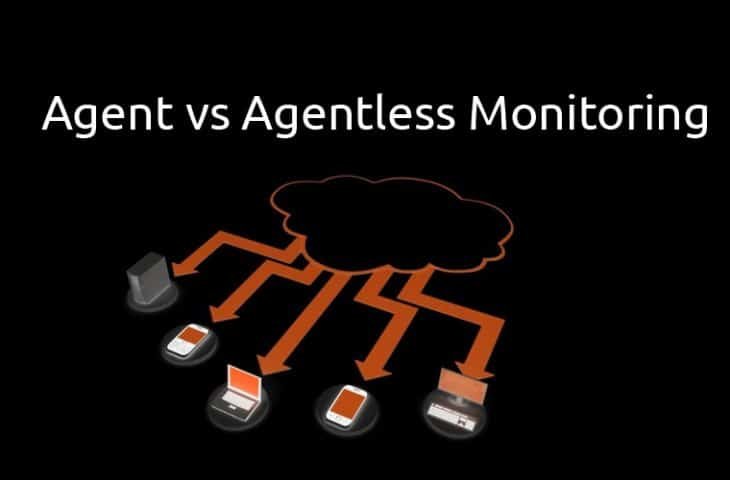
Agent-Based vs. Agentless Monitoring: A Detailed Comparison in 2026 Monitoring IT infrastructure is a critical part of ensuring performance, security, and reliability. Choosing the right approach—agent-based or agentless—can have a significant impact on efficiency, scalability, and visibility. This article provides a detailed comparison of both approaches and their best use cases in 2026. 1. Understanding the Basics Agent-Based Monitoring Agent-based monitoring requires installing a small software agent on each server, device, or system being monitored. The agent collects data locally—CPU usage, memory, disk I/O, application metrics, and system logs—and sends it to a central monitoring platform. Key points: Real-time data collection Detailed metrics, including custom application-level metrics Supports advanced alerts and automation Agentless Monitoring Agentless monitoring does not require any software installation on the monitored systems. It uses standard protocols like SSH, SNMP, WMI, HTTP, or APIs to collect data remotely. Key points: Quick and simple deployment Non-intrusive for sensitive or restricted systems Depends on available system interfaces for data collection 2. Detailed Comparison Criteria Agent-Based Monitoring Agentless Monitoring Deployment Agents must be installed and maintained on all monitored hosts No installation required; connects remotely Data Depth & Accuracy High-resolution, detailed metrics (OS + applications) Limited to data exposed via protocols Network Load Low, as data is processed locally Higher, raw metrics are sent over the network Security Supports encrypted data collection and policy enforcement Depends on protocols; requires proper firewall and access configuration Maintenance Needs regular updates and patches Low maintenance; no agents to manage Custom Metrics Fully customizable and extensible Limited by protocol capabilities Performance Impact Minimal impact on host Minimal impact on host; monitoring server may handle more load Scalability Efficient for large, heterogeneous environments Can be slower at very large scale; depends on network stability 3. Advantages and Use Cases Advantages of Agent-Based Monitoring Deep visibility into OS and applications Real-time alerts with minimal latency Supports automation and complex workflows Ideal for high-security environments Best Use Cases: Critical production systems requiring granular insights Complex applications with high performance or reliability requirements AI-driven anomaly detection and predictive monitoring Advantages of Agentless Monitoring Quick deployment, no software overhead Non-intrusive for sensitive or restricted systems Simplified maintenance with no patching required Suitable for compliance monitoring and auditing Best Use Cases: Temporary or ephemeral systems, such as cloud instances Systems where agent installation is not possible Lightweight monitoring with minimal operational impact 4. Hybrid Monitoring Approach In 2026, many organizations adopt a hybrid approach: Use agent-based monitoring for critical workloads and systems that require detailed metrics. Use agentless monitoring for dynamic, temporary, or restricted environments. This balances visibility, security, and operational simplicity. 5. Emerging Trends AI & Predictive Analytics: Agent-based metrics enhance anomaly detection and predictive maintenance. Cloud & Serverless: Agentless monitoring fits ephemeral workloads; agents provide detailed metrics for critical services. Security & Compliance: Agents allow encrypted, policy-driven collection; agentless monitoring requires strict access management. Automation: Modern platforms integrate agent data with automated remediation, alerting, and reporting.
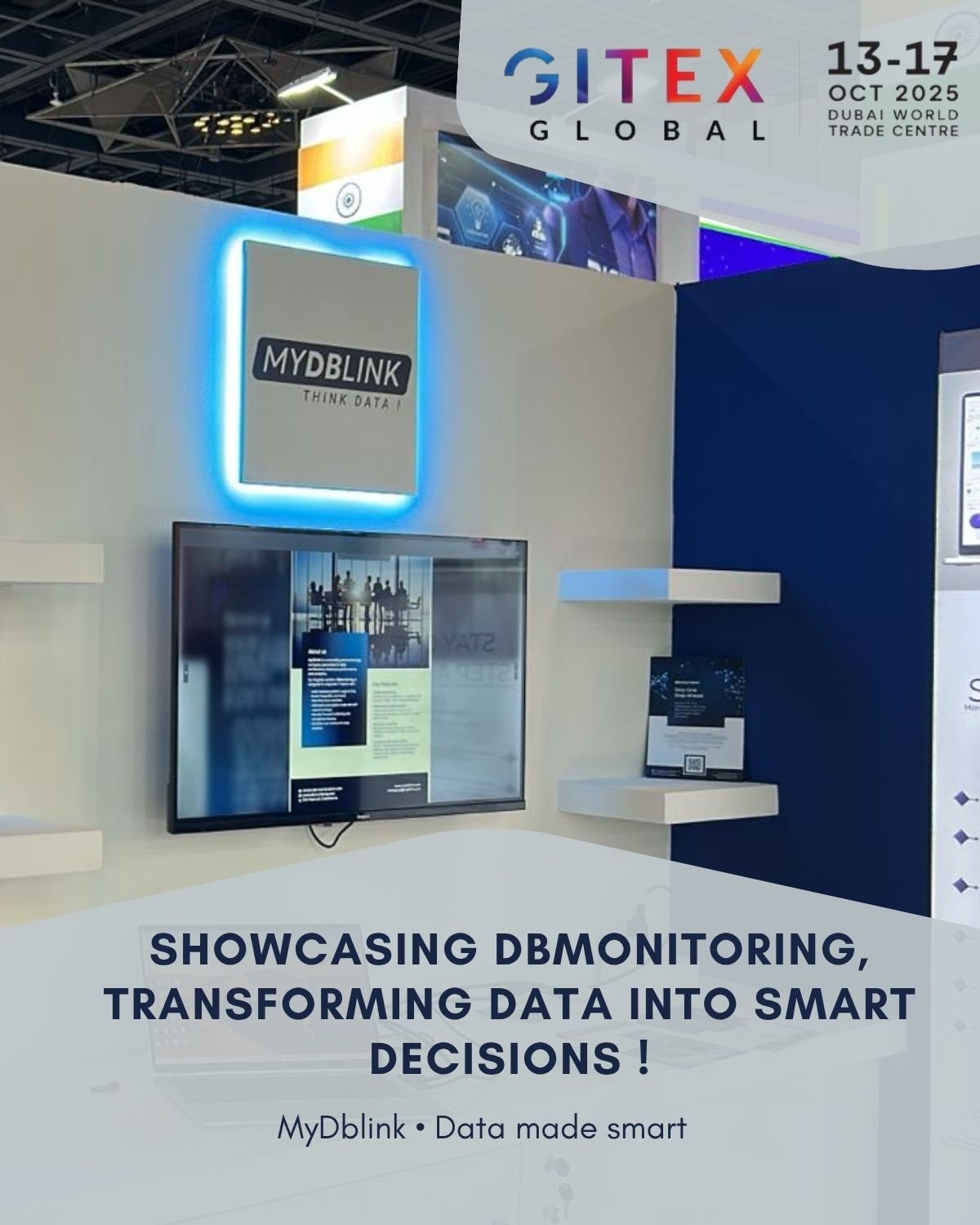
MyDBlink à GITEX Global 2025 : DBMonitoring, Transformer les Données en Décisions Intelligentes !
Les données occupent une place centrale dans le fonctionnement des entreprises. Mais pour prendre les bonnes décisions, il faut pouvoir comprendre leur environnement, suivre ses performances et repérer les problèmes qui nécessitent une intervention. À l’occasion de GITEX Global 2025, organisé du 13 au 17 octobre 2025 à Dubaï, MyDBLINK a mis en avant DBMonitoring et son approche de la surveillance des bases de données. Une meilleure visibilité pour mieux agir Une application qui ralentit, une requête qui consomme trop de ressources ou un espace disque qui approche de sa limite : ces situations demandent des informations claires pour être analysées. La surveillance permet de replacer chaque signal dans son contexte. Le ralentissement est-il ponctuel ? Concerne-t-il plusieurs instances ? Correspond-il à une augmentation de la charge ? Disposer d’une vue d’ensemble aide les équipes à orienter leurs investigations et à définir leurs priorités. DBMonitoring : centraliser la surveillance DBMonitoring rassemble dans une interface commune les informations sur les instances, les alertes et les environnements de bases de données. Cette visibilité facilite le suivi quotidien et l’identification des situations qui demandent une attention particulière. Cette approche répond à plusieurs objectifs : Suivre l’état des bases de données et leurs indicateurs essentiels. Repérer les anomalies grâce aux alertes. Analyser les performances pour orienter les actions d’optimisation. Partager une vision claire de l’environnement avec les équipes concernées. Passer de la réaction à l’anticipation Attendre qu’un utilisateur signale un problème limite le temps disponible pour intervenir. Une démarche proactive consiste à suivre les tendances et à examiner les signaux avant qu’une situation ne s’aggrave. Par exemple, une croissance régulière du stockage peut conduire à planifier une extension de capacité. Une hausse persistante du temps d’exécution peut déclencher une analyse des requêtes concernées. Les alertes doivent cependant rester pertinentes : leur rôle est d’attirer l’attention sur des conditions utiles à examiner, avec suffisamment de contexte pour guider l’action. Transformer les indicateurs en décisions Un tableau de bord apporte de la valeur lorsqu’il permet de décider quoi faire ensuite. Les indicateurs peuvent aider à répondre à des questions concrètes : quelle instance examiner en priorité ? Où prévoir davantage de ressources ? Une modification a-t-elle amélioré les performances ? La démarche repose sur une continuité simple : observer, comprendre, agir et vérifier les résultats. Une vision portée à GITEX Global À travers DBMonitoring, MyDBLINK a présenté à GITEX Global 2025 une approche associant surveillance, alertes et analyse des bases de données pour soutenir les décisions opérationnelles. L’objectif est de rendre les informations techniques plus accessibles et plus utiles, afin d’aider les entreprises à mieux piloter leurs environnements. Vous souhaitez mieux comprendre l’état de vos bases de données ? Contactez MyDBLINK et réservez une démonstration de DBMonitoring.

Strategic Growth Through Data – MyDBlink at GITEX 2025
Businesses generate data every day, but collecting information is only the beginning. Its real value comes from helping teams understand what is happening, identify opportunities, and make informed decisions. MyDBlink’s presence at GITEX 2025 reflects this ambition: connecting reliable database operations with the insights businesses need to support sustainable growth. « Reliable Databases Support Better Business Decisions Business intelligence depends on the systems behind it. A dashboard becomes less useful when its source data is unavailable, delayed, or incomplete. » Database management therefore plays a role beyond technical maintenance. It supports the continuity of business processes and the availability of information used for planning. Monitoring helps teams identify performance changes, investigate incidents, and understand resource consumption. These insights can guide decisions about optimization, capacity, and infrastructure investment. Reliable data systems give decision-makers a stronger foundation for Data as a Foundation for Growth As organizations expand, their data environments become more complex. Applications serve more users, transactions increase, and teams need faster access to reliable information. Without a clear data strategy, this growth can create challenges: fragmented reporting, inconsistent indicators, performance issues, and rising infrastructure costs. A strong foundation brings together database reliability, data quality, and meaningful analysis. It helps businesses support daily operations while preparing for future demand. DBMonitoring: Connecting Visibility with Action DBMonitoring supports this foundation by bringing database monitoring information into a shared interface. Visibility into instances, performance indicators, and alerts helps technical teams identify situations that require attention and organize their investigations. For example, a sustained increase in storage consumption can inform capacity planning. A recurring slowdown can prompt an analysis of workload patterns before additional infrastructure is considered. The value lies in connecting an observation to a practical decision: what needs attention, why it matters, and what should happen next. Turning Data into Business Intelligence Technical visibility and business intelligence serve complementary purposes. Monitoring helps teams understand how systems operate, while BI helps organizations interpret business activity. Bringing these perspectives together can help teams answer questions such as: Which business activities are generating additional demand? Can the current infrastructure support expected growth? Where could an optimization reduce costs or improve service? Which indicators should guide the next investment? Useful reporting starts with clear objectives and consistent definitions. Each indicator should help someone understand a situation or make a decision. Building a Practical Path to AI Artificial intelligence creates opportunities to analyze patterns, assist investigations, and automate selected tasks. Its usefulness, however, depends on the quality and context of the information available. Businesses need to define the problem they want to solve, prepare suitable data, and assess results against measurable objectives. For database operations, AI-assisted analysis can support the review of unusual patterns or suggest areas for investigation. Teams still need to validate recommendations against their workload, technical constraints, and business priorities. A practical AI strategy begins with trusted data and a clear use case. A Vision for Sustainable Growth The theme of MyDBlink at GITEX 2025 brings these priorities together: reliable systems, accessible information, and decisions grounded in evidence. Strategic growth requires more than increasing the amount of data a business collects. It requires making that data useful to the people responsible for operations, planning, and investment. By connecting database expertise, monitoring, and analysis, organizations can build an environment that supports both immediate needs and long-term ambitions. Ready to make your data work for your business? Contact MyDBlink to discuss your data challenges and book a demonstration of DBMonitoring.

Artificial Intelligence and Data: Turning Information into Business Value
Artificial intelligence is changing how businesses use information. From analyzing documents to identifying unusual activity, AI can help teams work faster and make better-informed decisions. However, successful adoption requires clear objectives, reliable data, and people who can evaluate the results. « Understanding Artificial Intelligence » Artificial intelligence refers to systems designed to perform tasks such as recognizing patterns, interpreting language, generating content, and making predictions. In a business environment, these capabilities can support everyday activities: summarizing reports, classifying requests, exploring data, or assisting customer service teams. The starting point is a practical question: which task could AI help improve, and how will we measure that improvement? Reliable Data Makes AI More Useful The usefulness of an AI system depends partly on the information it receives. Missing records, outdated documents, or inconsistent definitions can lead to misleading results. For example, a sales forecast built on incomplete transaction history may overlook important patterns. An internal assistant using outdated procedures may give employees incorrect guidance. Preparing data therefore involves several essential steps: Check quality: identify missing values, duplicates, and inconsistencies. Provide context: explain what fields and business indicators mean. Keep information current: update the sources used by the system. Manage access: ensure users can only retrieve information they are authorized to view. A strong data foundation makes AI outputs easier to assess and use. Practical Applications Across the Business AI can support different teams when it is applied to a clearly defined need. Faster Access to Information An internal assistant can help employees find answers across approved documents. Providing references to the source material allows users to check the answer before acting. Support for Data Analysis AI can help summarize trends, suggest questions to investigate, or explain a report in accessible language. Analysts remain responsible for checking calculations and interpreting the findings. Assistance with Routine Tasks Document classification, draft preparation, and request routing are examples of tasks where AI can reduce manual effort. Review steps help teams catch mistakes and manage exceptions. Support for Technical Operations AI can help summarize incident information or highlight patterns in monitoring data. Technical teams must confirm the cause of a problem and validate any proposed changes. Connecting AI with Database Monitoring Databases support many of the applications and information sources that businesses rely on. Their availability and performance remain essential when introducing AI. Monitoring provides visibility into resource usage, query performance, storage growth, and system activity. These indicators help teams understand whether new workloads are affecting existing services. For example, an application that introduces AI-assisted search may generate additional database requests. Monitoring can help teams assess the impact and decide whether query optimization, connection management, or additional capacity is needed. AI projects need reliable infrastructure as well as suitable data. Keeping People in Control AI-generated answers can be inaccurate, incomplete, or expressed with more confidence than the evidence supports. The level of human review should match the consequences of an error. A draft summary may need a quick check, while a recommendation affecting production systems requires careful validation. Clear responsibilities help teams use AI effectively: Define who reviews outputs. Establish which actions require approval. Keep source information available for verification. Record errors and use them to improve the workflow. Start Small and Measure Results A focused pilot gives businesses an opportunity to evaluate AI before expanding its use. Choose one task, establish its current performance, and define success criteria. These might include time saved, answer accuracy, fewer manual corrections, or improved response times. Evaluate the benefits alongside the cost of implementation, maintenance, and human review. Expand the solution when the results justify it. Building Lasting Value with AI Artificial intelligence creates opportunities to make information more accessible and daily work more efficient. Lasting value comes from connecting those capabilities to real business needs. With reliable data, well-managed infrastructure, and appropriate human oversight, organizations can build AI solutions that support their teams and their growth. Looking to strengthen the data foundation behind your AI projects? Contact MyDBlink to discuss your database, monitoring, and data management needs.

SQL: Turning Business Data into Useful Insights
Every day, businesses store information about customers, transactions, products, and operations. To make this information useful, teams need a reliable way to retrieve, organize, and analyze it. SQL—Structured Query Language—is a language used to work with relational databases. It helps developers, analysts, and database administrators turn stored records into answers to practical business questions. What Is SQL? Relational databases organize information into tables containing rows and columns. A customer table, for example, might contain a customer identifier, name, and email address. SQL allows users to interact with these tables. Its main uses include: Retrieving data for reports and applications. Adding records, such as new orders or customers. Updating information, including product prices or contact details. Deleting records when appropriate. Defining database structures, such as tables and constraints. SQL is used by database systems including PostgreSQL, Microsoft SQL Server, MySQL, and Oracle Database. These systems share many core SQL concepts, although their syntax and features can differ. Answering Business Questions with SQL SQL helps teams explore information according to specific criteria. A sales manager might want to identify the best-selling products. A finance team might need monthly revenue totals. An operations team might want to find orders that are still awaiting delivery. SQL supports these tasks through filtering, grouping, calculations, and relationships between tables. Connecting Information Across Tables Business information is often distributed across several related tables. For example, an online store might maintain separate tables for customers, orders, and products. SQL joins allow these records to be combined using related identifiers. This makes it possible to examine which customers placed orders, what they purchased, and when the transactions occurred. Understanding these relationships is essential. An incorrect join can duplicate records and produce misleading totals, even when the query runs successfully. Improving Query Performance As data volumes grow, queries may take longer to execute. Performance depends on several factors, including query structure, indexing, database statistics, workload, and available resources. Useful practices include: Select the columns needed instead of retrieving unnecessary information. Filter records appropriately to limit the data processed. Review execution plans to understand how the database handles a query. Design indexes around actual workloads, considering their storage and write costs. Investigate recurring slow queries before adding more infrastructure. Optimization should be guided by measurements. A change that benefits one query may introduce costs elsewhere, so testing against representative workloads matters. Protecting Data and Managing Access Working with SQL also requires careful access management. Application accounts and users should receive the permissions required for their tasks. Sensitive information should only be accessible to authorized people and services. Applications should use parameterized queries to keep user-provided values separate from SQL instructions. This is an essential defense against SQL injection. Changes to important data also require care. Transactions allow related operations to be handled together, helping maintain consistency when an operation succeeds or fails. Why Database Monitoring Matters Well-written SQL is one part of a reliable database environment. Teams also need visibility into what happens during daily operations. Monitoring helps identify slow queries, blocking sessions, resource pressure, and changes in workload. For example, a query that performs well during testing may slow down when many users run it simultaneously. Monitoring provides context for investigating whether the cause relates to concurrency, data growth, or resource availability. Query analysis and database monitoring work together to support performance and reliability. SQL, Business Intelligence, and AI SQL helps prepare the datasets used in dashboards, reports, and analytical applications. Consistent query logic supports clearer business indicators and more dependable comparisons. AI tools can also assist with drafting or explaining SQL. Generated queries still need review to confirm that they use the correct tables, apply the intended business rules, and respect access restrictions. A query that executes without errors does not necessarily answer the right question. Human understanding of the data remains essential. Building a Stronger Data Foundation SQL connects stored information with the questions businesses need to answer. Used carefully, it supports reliable applications, meaningful reporting, and informed decisions. Its value comes from combining technical skills with a clear understanding of business needs, data relationships, and operational performance. Want better visibility into your database environment? Contact MyDBlink to discuss your needs and book a demonstration of DBMonitoring.
