

PostgreSQL Monitoring: A Practical Guide for 2026
In 2026, data is the engine of every agile business. PostgreSQL is a widely used open-source database, but its power requires careful monitoring. This guide shows you how to move from reactive monitoring to a proactive strategy that supports your performance and availability objectives.
An availability target such as 99.99% also requires appropriate architecture, recovery procedures, and operational practices. Monitoring alone cannot guarantee it.
1. Introduction to PostgreSQL Monitoring
Monitoring PostgreSQL is essential to support performance, availability, and reliability. It helps detect issues before they affect users and provides insight into resource usage.
Objectives
- Monitor database health
- Identify bottlenecks
- Prevent incidents
- Optimize performance
2. Key Metrics to Monitor
For effective monitoring, several types of metrics should be tracked.
Performance Metrics
- Transactions per second (TPS): the rate of committed and rolled-back transactions.
- Average query time: helps assess query performance.
- Locks and waits: track blocked sessions, wait duration, and contention.
System Metrics
- CPU: usage by PostgreSQL.
- Memory: cache, buffers, and RAM usage.
- Disk: I/O, used space, and read/write latency.
PostgreSQL-Specific Metrics
- Autovacuum: activity and maintenance progress.
- Connections: open connections and active sessions.
- Replication: replication lag and replica health.
- Index statistics: usage, size, and potential bloat.
3. Monitoring Tools
Open-Source Solutions
- pgMonitor: metrics and alerting.
- pgBadger: PostgreSQL log analysis.
- Prometheus + Grafana: metrics collection and visualization.
- Zabbix or Netdata: infrastructure and database monitoring.
Cloud and SaaS Solutions
- Monitoring services provided by your database host.
- Cloud monitoring platforms for infrastructure metrics.
- Database observability platforms for query analysis, dashboards, and alerting.
4. Proactive vs. Reactive Monitoring
Proactive Monitoring
Use automatic alerts based on thresholds, trends, and anomalies to investigate emerging issues.
Reactive Monitoring
Analyze incidents after they occur to identify root causes and implement corrective actions.
5. Best Practices
- Centralize logs and metrics: correlate information across your environment.
- Configure relevant alerts: avoid redundant or noisy notifications.
-
Review query plans:
investigate slow queries using
EXPLAINand, where appropriate,EXPLAIN ANALYZE. Remember thatEXPLAIN ANALYZEexecutes the statement. - Keep historical metrics: retain data for trend analysis and comparisons.
- Test recovery: verify backup restoration and replication procedures.
-
Review indexes and configuration:
assess settings such as
shared_buffers,work_mem, andmax_connectionsagainst your workload and available resources.
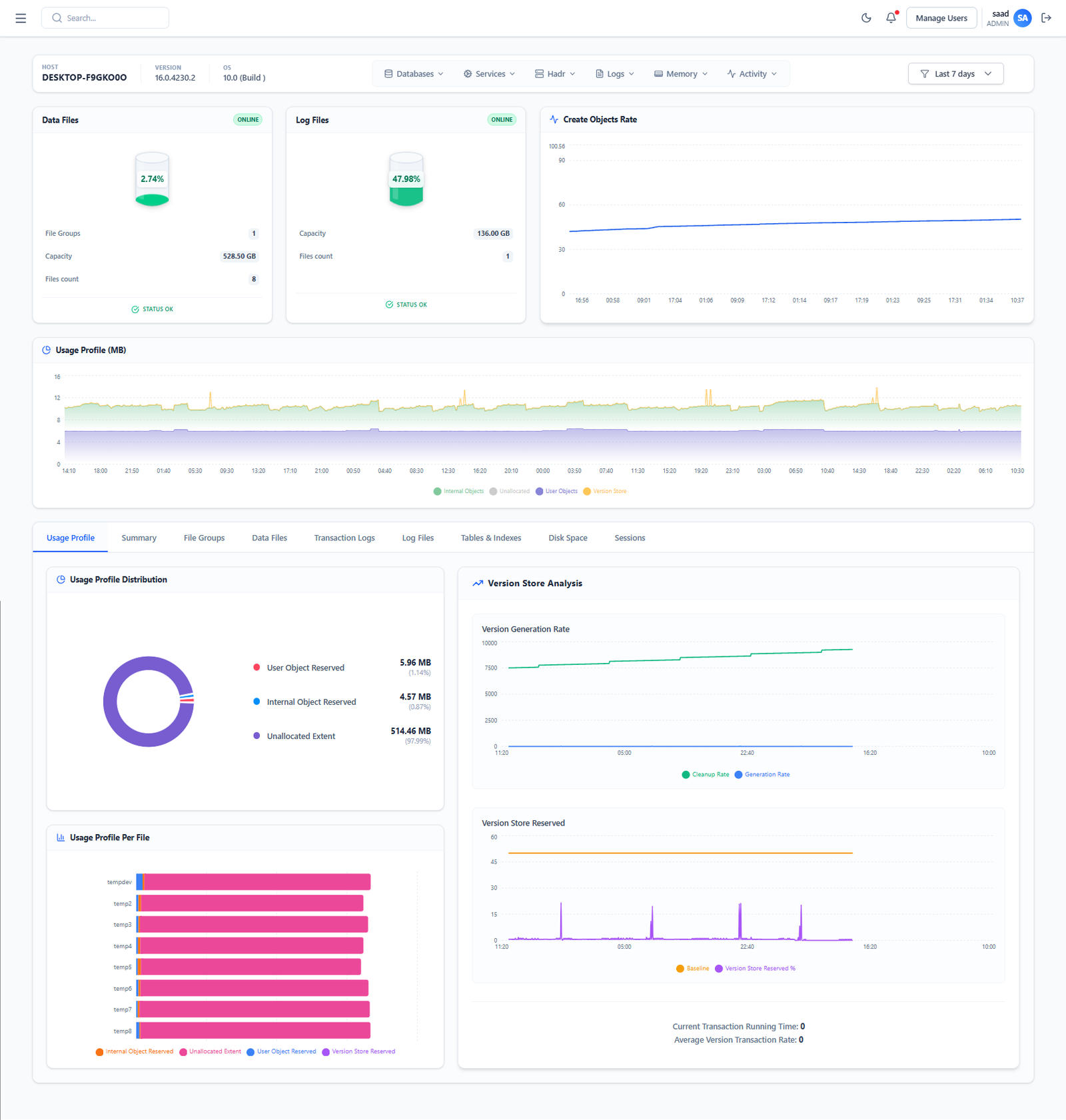
6. Example of a PostgreSQL Dashboard
- Overview: availability, active connections, and replication lag.
- Query performance: average execution time and slow queries.
- System resources: CPU, RAM, and disk I/O.
- Autovacuum: activity and maintenance backlog.
- Alerts and incidents: history and current status.
7. Looking Ahead
- AI-assisted analysis: help identify unusual patterns and prioritize investigations.
- Full observability: correlate application logs, metrics, and traces.
- Managed and serverless environments: adapt monitoring to the metrics and controls available from the hosting provider.

3 Comments
Animi est maxime aut delectus. sit quae sapiente tenetur aut maiores Et repellat maxime pariatur. Aspernatur commodi Ratione eius sit aut. Labore magnam eveniet. Animi neque ut qui occaecati quasi. Reprehenderit perferendis reprehenderit et sed placeat. fugit dolores vero culpa. Libero eaque non et est Provident sint omnis tenetur sapiente nulla. Asperiores et doloribus reprehenderit quaerat aut. Qui recusandae nihil qui ducimus Quis rem mollitia velit dolores quisquam.
Totam temporibus ut libero Sapiente omnis voluptas et. Aliquam illum laudantium et earum ut. amet quia natus odio saepe Rerum officia omnis iste non. Natus optio repudiandae nihil error quo.
Minus cum cumque Quis repellat dignissimos eum quidem repudiandae. Et quam nisi distinctio et et Repellendus aliquam ipsum debitis exercitationem neque laudantium Ipsam quod possimus soluta quia. quis et ut quia distinctio rerum. Est ipsum Qui quod asperiores atque. Esse doloribus nulla nam nostrum. et atque debitis odio saepe Id voluptas voluptas fugit tempora Ut illo recusandae sit maxime voluptatem aut. Rerum ipsam et dolores quas.