DB Monitoring (Database Monitoring) is to ensure the optimal performance, high availability, and robust security of all database systems within an organization.
In essence, it is used to:
-
Optimize Performance: Detect slow queries, resource bottlenecks (CPU, memory, I/O), and inefficient processes to tune the database and improve application response times.
-
Ensure Availability (Uptime): Continuously track the operational status of instances to detect and alert administrators immediately of any failures or downtime, ensuring 24/7 service.
-
Proactive Problem Solving: Identify unusual patterns or minor performance degradations before they escalate into major incidents that affect end-users or business operations.
-
Manage Resources: Gather metrics to forecast future capacity needs (hardware and storage) and manage the deployed inventory (versions, locations).
-
Maintain Security and Compliance: Monitor for unauthorized access, configuration changes, and suspicious activity to safeguard sensitive data and meet regulatory requirements.
Core Capabilities of Database Monitoring (DB Monitoring)
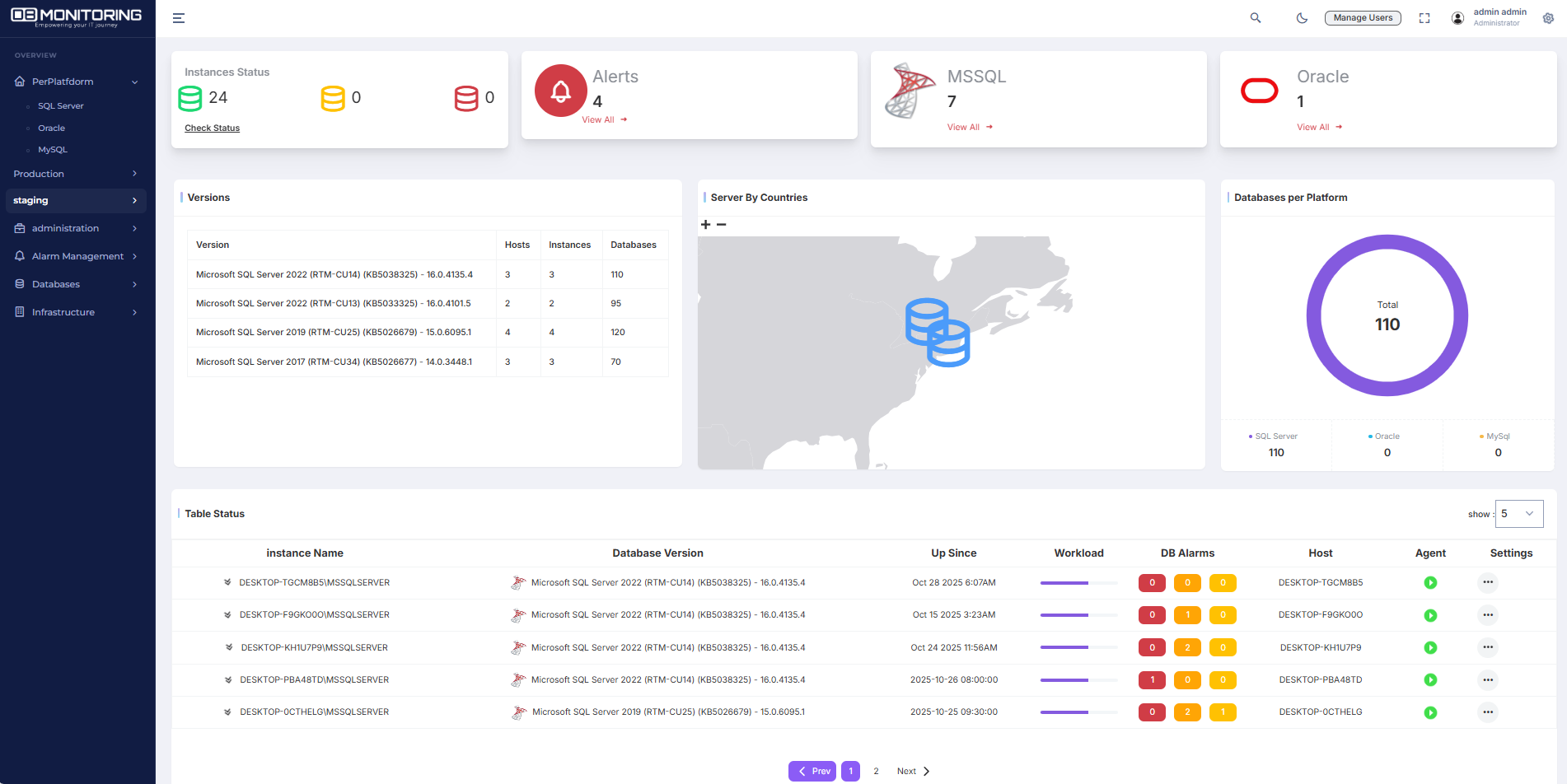
A robust DB Monitoring system provides an instant operational health overview. It presents the instance status using a traffic light system (green for healthy, yellow for warning, red for critical), allowing administrators to quickly identify problematic environments, such as the selected « staging » environment. The dashboards display a complete inventory, including the total number of instances, their breakdown by platform (MSSQL, Oracle, MySQL, etc.), the total count of hosted databases, and the geographical distribution of servers. An essential feature is the ability to track software versions across all instances to ensure compliance and patch management.
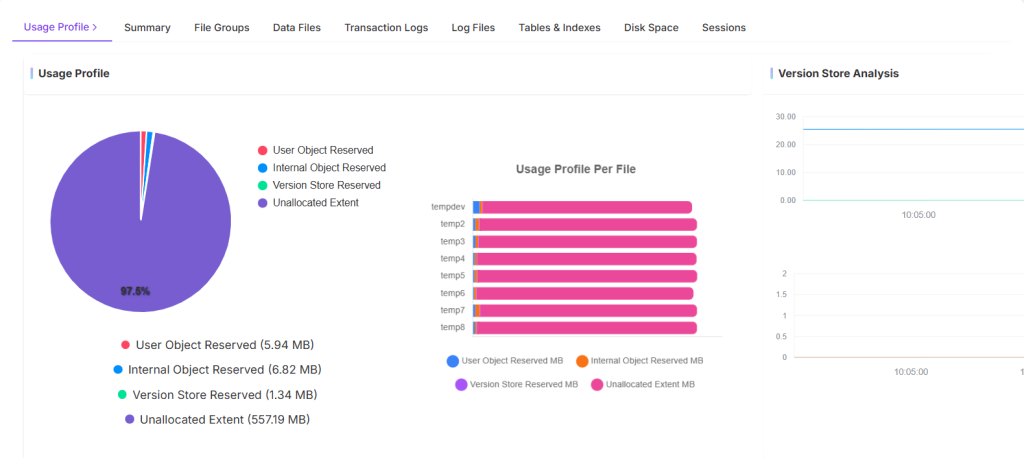
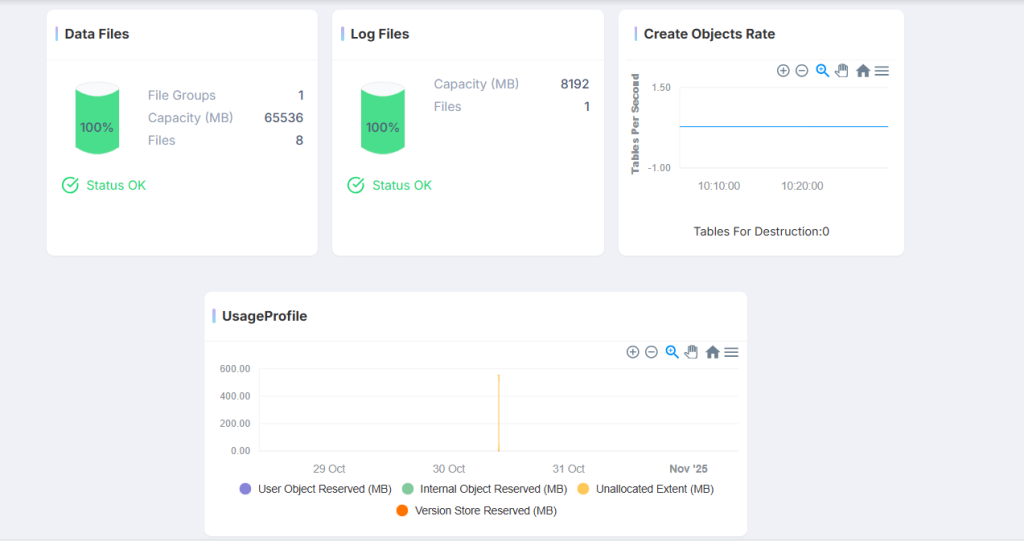
Resource monitoring is critical. The system tracks the utilization of Data Files and Log Files, indicating the usage percentage against their allocated capacity. Capacity alerts (such as the 100% indicator shown) are paramount for preventing outages caused by running out of disk space. Furthermore, these tools track the object creation rate (e.g., tables per second) to measure development or maintenance activity on the database. They also maintain a history of the usage profile over time to detect abnormal spikes, which is crucial for troubleshooting past events.