In modern IT environments, organizations often use multiple types of databases for different purposes. Oracle is commonly used for critical applications, while PostgreSQL is increasingly popular for its flexibility and cost efficiency. However, monitoring multiple databases separately can be complex and inefficient. The solution is to consolidate all metrics into a single dashboard. This guide shows you how.
1. Why a Single Dashboard?
A centralized dashboard allows you to:
- Get a complete view of all database health.
- Quickly identify performance issues or bottlenecks.
- Simplify alert management and incident correlation.
- Reduce response time during critical incidents.
2. Key Metrics to Monitor for Oracle and PostgreSQL
For effective monitoring, track both common and database-specific metrics:
a) Common Metrics
- Availability / uptime
- Transactions per second (TPS)
- Average query time
- Locks and contention
- Disk space usage and table growth
- CPU and RAM utilization
b) Oracle-Specific Metrics
- Tablespaces: usage and fragmentation
- Redo logs and archive logs
- Active sessions and connections
- Instance performance metrics (SGA, PGA)
c) PostgreSQL-Specific Metrics
- Autovacuum: status and delay
- Replication: lag and replica health
- Indexes: usage and fragmentation
- Active connections and locks
3. Tools for Monitoring Oracle and PostgreSQL Together
a) Open-Source Solutions
- Zabbix: supports both Oracle and PostgreSQL via agents and templates, enabling a single dashboard.
- Prometheus + Grafana: Prometheus collects metrics using exporters (Oracle Exporter, PostgreSQL Exporter), Grafana consolidates dashboards.
- Netdata: real-time server and database monitoring with a unified dashboard.
b) Commercial / SaaS Solutions
- Datadog: unified monitoring, alerts, and dashboards for Oracle and PostgreSQL.
- New Relic: centralized dashboards with database performance analysis.
- Oracle Enterprise Manager (OEM): integrate PostgreSQL via plugins or agents.
4. Steps to Create a Unified Dashboard
- Identify critical metrics for each database type.
- Install agents or exporters for Oracle and PostgreSQL.
- Configure metric collection to a central server or SaaS platform.
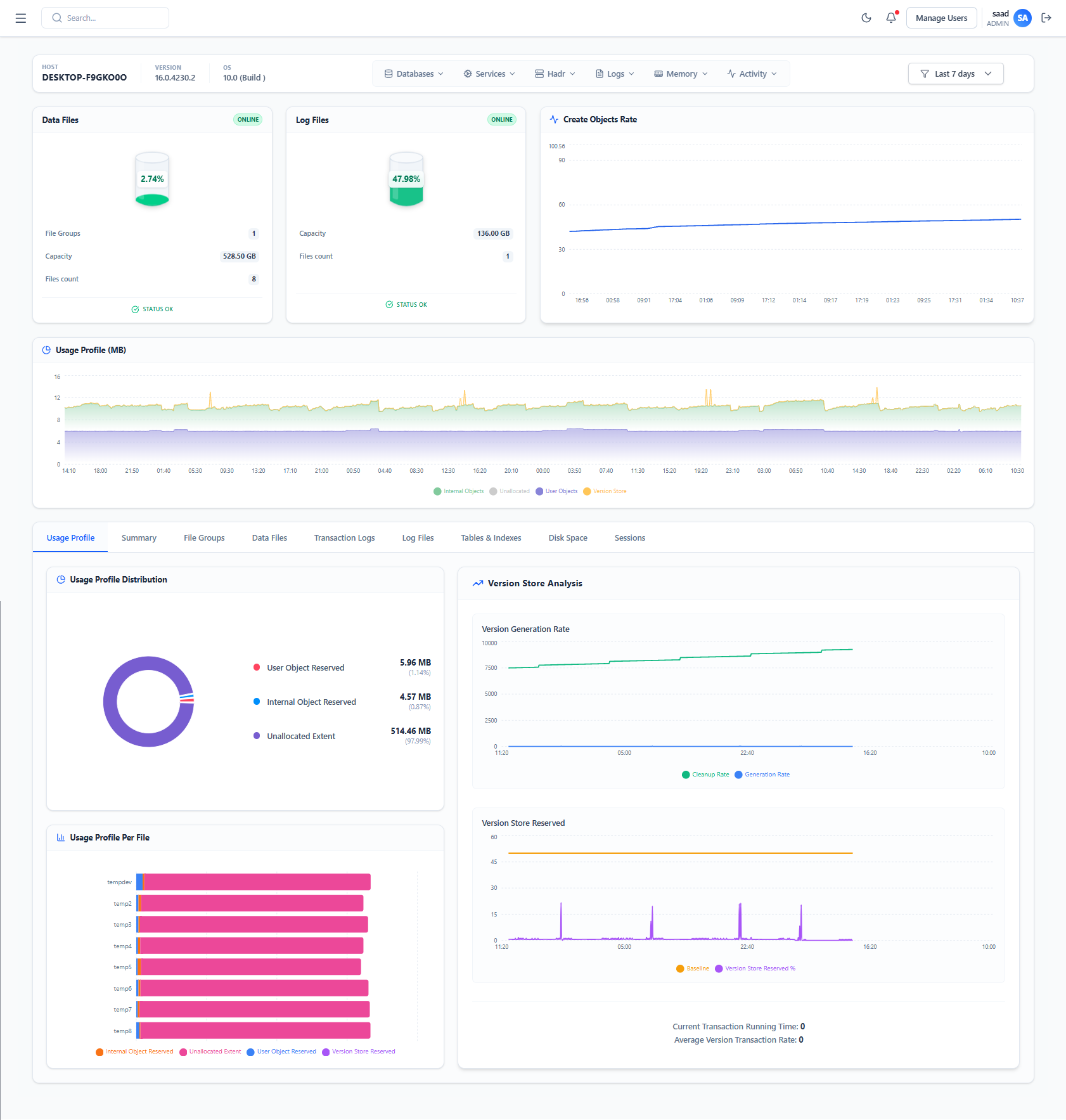
- Build consolidated dashboards:
- Sections by database or metric
- Comparative graphs (CPU, transactions, I/O)
- Unified alerts for critical thresholds
- Store historical metrics for trend analysis.
- Test alerts and notifications to ensure reliability.
5. Best Practices
- Standardize metrics to simplify comparison between Oracle and PostgreSQL.
- Prioritize critical alerts to reduce alert fatigue.
- Document the dashboard and data sources for easy maintenance.
- Integrate monitoring into DevOps workflows to automate detection and resolution.
- Focus on proactive monitoring with trends and predictive insights.
6. Benefits of a Single Dashboard
- Saves time for DBA and IT teams
- Provides global visibility across all databases
- Reduces incident risk through faster detection
- Correlated analysis: detect if issues in PostgreSQL impact Oracle processes and vice versa
- Optimizes resources and improves capacity planning